Mix colours for EFA localization with microDIP
Please load the 'EBIRCH.tif' file from the sample images. A typical approach will be used here, where
- SE signal is kept in the original grayscale to provide a larger field of view and to preserve a natural reference view of the image location/context
- EA.EFA signal is coloured to pinpoint location of a particular feature
then the images are mixed in colour.
Add colour
Select the second signal (LIA) and colourise the image with Color > Manual > Monochrome as in the screenshot below
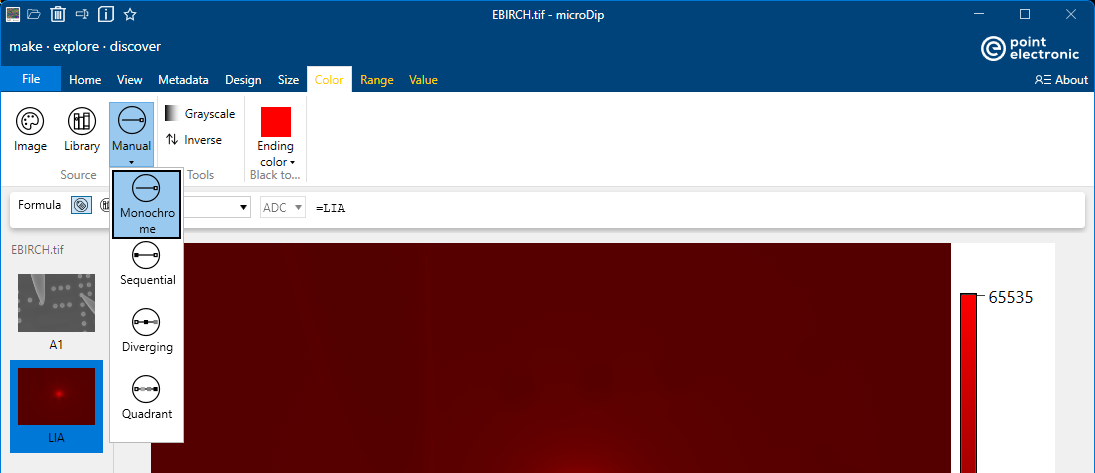
Select an ending colour that suits the purpose - red is commonly used in EFA.
Turn background black
Two methods are possible, histogram range or pixel range picker.
The easiest method is probably the Home > Histogram > Range tool. Open the histogram plot and click on the hashed range in the plot to select it, then change the minimum and maximum image until only the relevant feature appears red - all else is black.
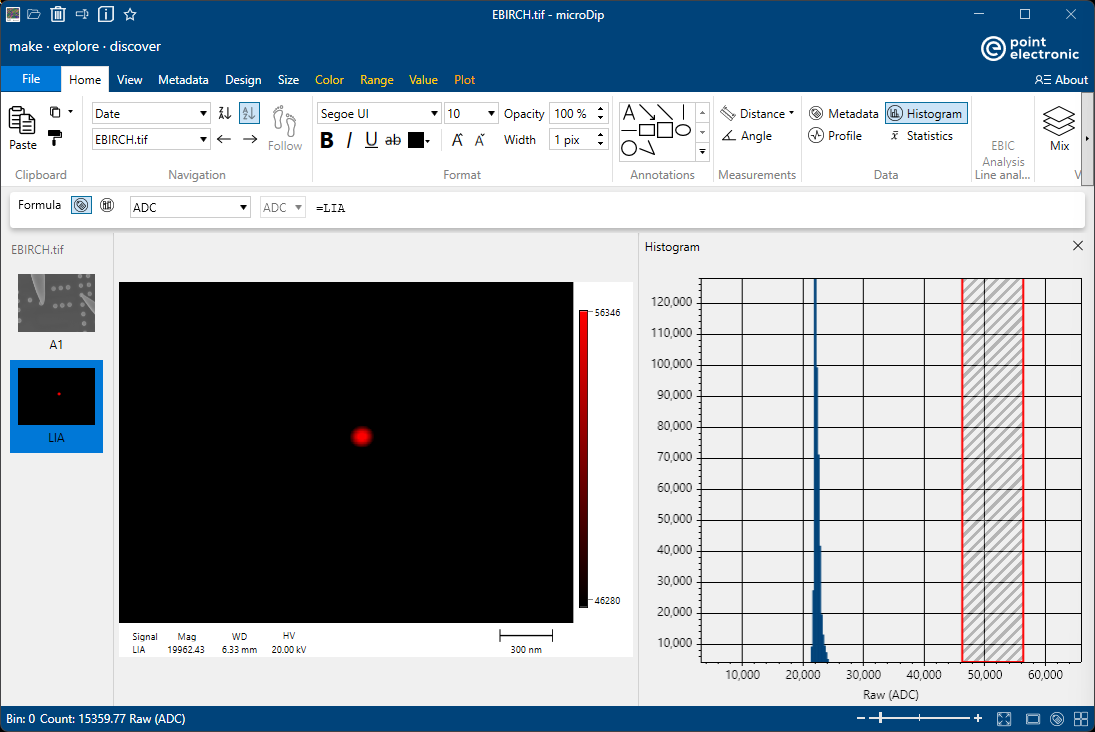
The fastest method is to zoom into the feature of interest with the mouse scroll wheel and then
- click right in the middle of the feature of interest and select 'Set maximum range'
- click right in next to the feature of interest and select 'Set minimum range'
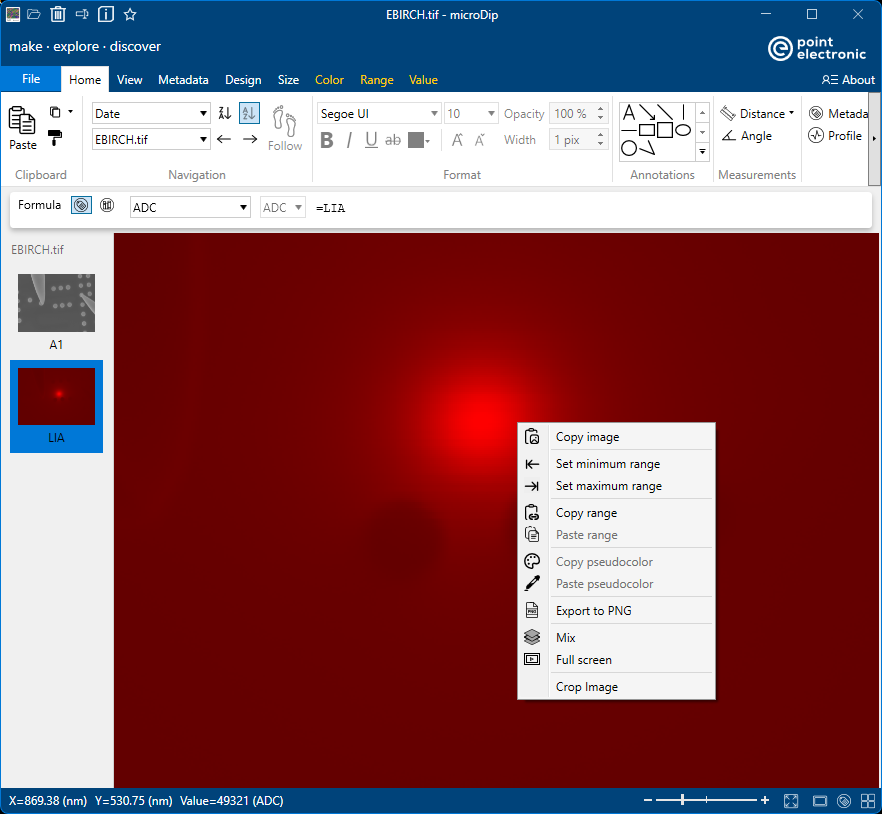
Both methods give the same results, it's only a matter of user preference.
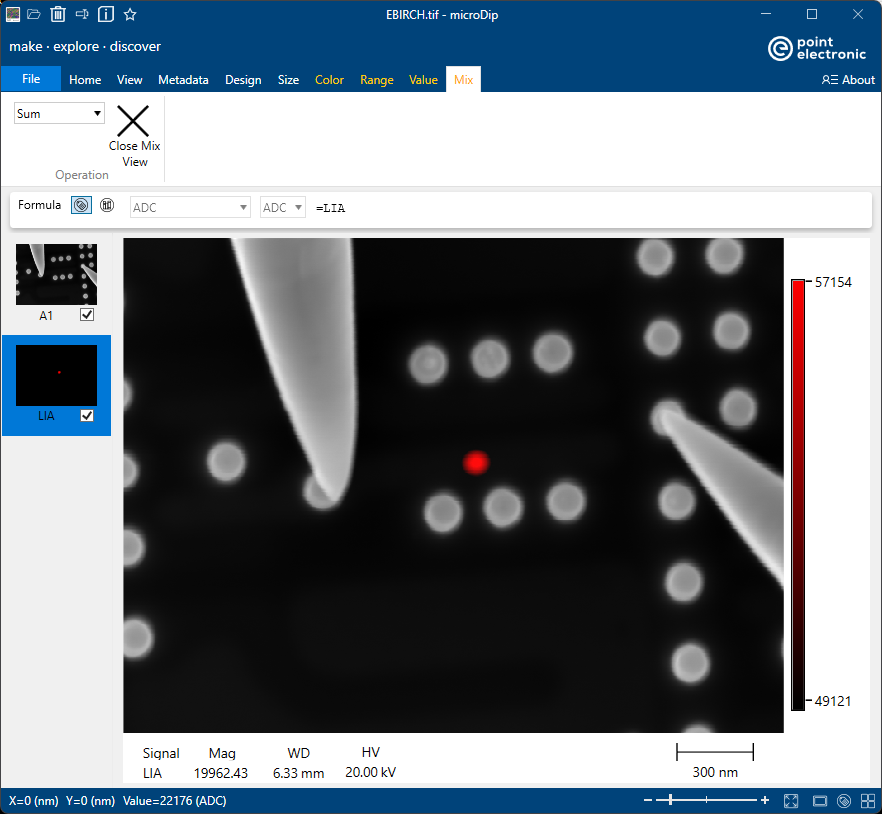
Mix
Use the Home > View > Mix tool, and select both signals in the left side panel. Make sure that 'Sum' is used in the Mix