
Scan Control app
Controls for adjusting apparent image brightness and contrast on screen are given with the Range selection menu in the Palette section of the View toolbar.

Palette gives control over how the image is displayed on screen, without any changes to image data. This is necessary because human vision is limited in the number of grayscale levels it can perceive. Whereas image data may contain 256 (8-bit) or 65,536 (16-bit) gray levels, human vision is limited to a much smaller number of gray levels that depend also on environment light and display specifications.
One approach is to map gray levels into different colors, where human vision excels, however this page will focus on adjustments for gray scale palette only.
Consider a 16-bit image where the minimum pixel value is 65 and maximum pixel value is 6,512. If the image is displayed at its full range where 0 is set to black and 65,535 is set to white, then the image will appear flat even if data is present.
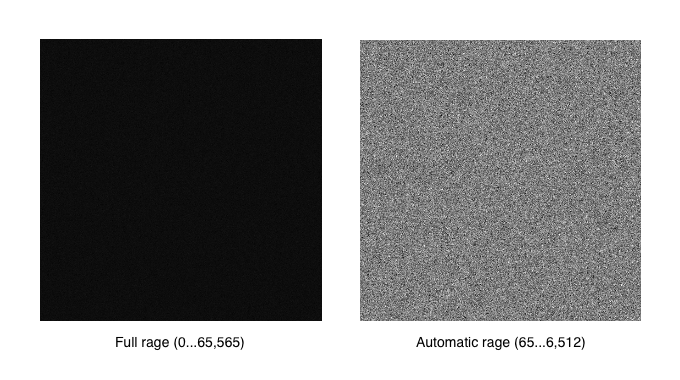
However if the same image is displayed with automatic range, where minimum pixel value of 65 is set to black and 6,512 is set to white, then the image content becomes visible.
For the first frame in the acquisition, Scan control will monitor each new image data chunk as it arrives from the scan controller and determine minimum and maximum pixel values in the current frame. Depending on signal levels in the frame, this may result in a continuous adjustment of black and white levels as the image is scanned. For the following frames, Scan control will use the minimum and maximum pixel values from the previous frame to avoid this dynamic scaling of black and white levels.