
Troubleshooting
Not every possible problem is covered by this section - please write to service@pointelectronic.de for support.
No USB connection
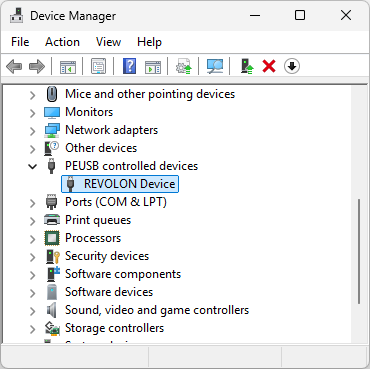
The USB cable is connected, however the app does not connect over USB. The service laptop/PC must have the PEUSB driver installed, so that Windows can provide access to the device.
Please check in the Windows Device Manager that the device is found and driver is in use.
No TCP/IP connection
Connection is not successful after the Address and Ports are input and 'Connect TCP' is pressed - a timeout error message is shown as inserted below.
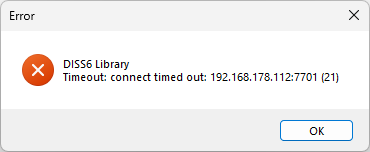
If the app gives a timeout error on TCP connection, then first check that the input matches the Address and Ports given on the device display panel on the front of the hardware scan controller. Restart the device if needed after a previous 'Apply & Close'. If the timeout persists, then please double check the ETH cable connection and lights on the ETH port on the scan controller hardware and the PC.
If connection error persists, also double check firewall settings on the PC. If a router is used, then please also check firewall settings on the router as well.