
Description
The Scan Controller TCP Settings app is provided to set network settings for REVOLON and DISS6 scan controllers. It is needed for the initial hardware installation on the microscope or lab network, and for subsequent changes to the network.
Please make sure any TCP change is compatible with the existing microscope or lab network!
For connection to the scan controller, client apps will also require these TCP settings. If a client app fails to connect to the device, please double check app setting with the TCP settings on the display panel on the front of the hardware scan controller.
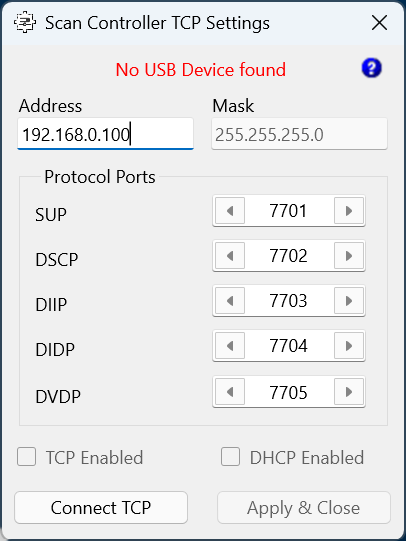
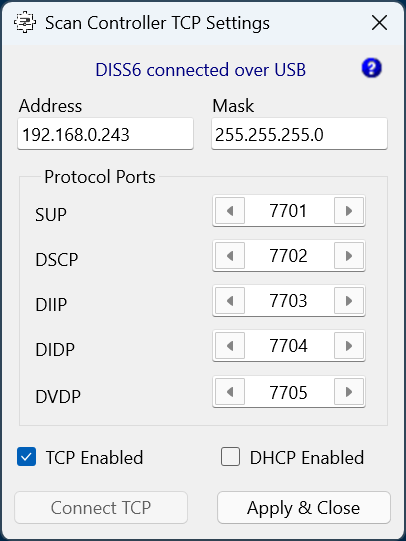
Start
At start, the app will attempt to connect to the hardware scan controller using a USB connection.
Status
Connection status will be given in the text line under the window title bar. This may be
- [...] connected over USB
- [...] connected over TCP
- No USB Device found
where [...] may be 'REVOLON' or 'DISS6', depending on what hardware is found.
For further information see the Connection page in this manual.
Help
Please click the question mark '?' in the top right of the app to open a local help file or navigate to the online address of this user manual.
Settings
These are the various device settings available from this app.
Address
The TCP/IP address of the device. This field is disabled if DHCP is enabled.
For IP address set in the device, please always read the TCP/IP address from the touch display of the hardware scan controller.
Mask
The subnet mask of the device. Default setting is 255.255.255.0.
This field is disabled if no connection is made to the device.
Protocol Ports
A number of ports used by the hardware scan controller to communicate on the network. Default settings are usually sufficient, unless these ports are already reserved on the local network for other communication.
| Port | Description |
| SUP | Port for SEM Upgrade Protocol |
| DSCP | Port for DISS Scan Comissioning Protocol |
| DIIP | Port for DISS Information Instruction Protocol |
| DIDP | Port for DISS Image Data Protocol |
| DVDP | Port for DISS Video Data Protocol |
TCP Enabled
Turns the TCP/IP communication on or off. Default setting is on for REVOLON and off for DISS6.
DHCP Enabled
Turns the DHCP client on or off. Default setting is off.
Connect TCP
If a USB connection is made at app start, then the 'Connect TCP' button is disabled. If a USB connection is not made at app start, then the 'Connect TCP' button is available to connect to the hardware scan controller using a TCP/IP address. For further information, see the Connections page in this manual.
Apply & Close
To apply settings, please click on 'Apply & Close', which will prompt to switch the device off and on again, to apply the settings.
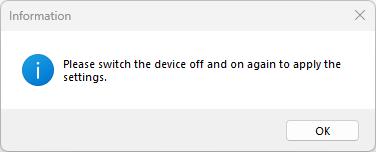
Exit
Use the close button of the app main window to exit the app without applying new settings - this will keep existing device settings.